Navigation path
Administration > Basic settings > Storage, backup
Settings
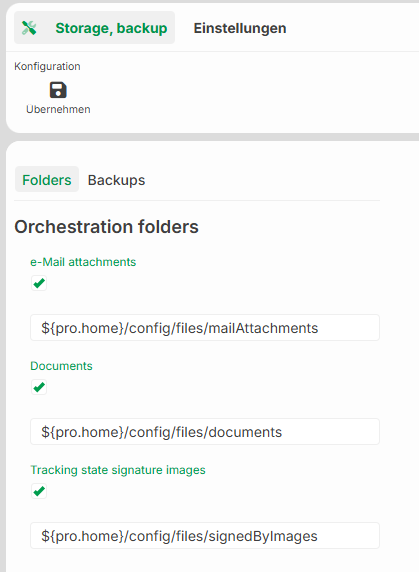
In the Storage, backup input screen, you configure the StorageManager’s directories. The StorageManager stores files such as e-mail attachments, documents, and tracking images in the file system.
Lobster Data Platform applies your changes during operation. These settings are stored in the database. Direct configuration via the startup.xml file is no longer supported.
NOTE:
You can specify each directory relative to the Pro home directory. Use the
${pro.home}variable for this. The specified directory must exist on the host and must be writable. In a cluster, this applies to all nodes.
Action
Button | Description |
|---|---|
Apply | Applies the configuration change for the Lobster Data Platform. In a cluster, the platform applies the change to all nodes. The platform then persists the values to the corresponding XML configuration. |
Folders tab
Field | Description |
|---|---|
E-mail attachments | Directory for attachments from incoming and outgoing e-mails. |
Documents | Directory for general documents. |
Tracking state signature images | Directory for signature images (Signed By). |
Backups tab
Field | Description |
|---|---|
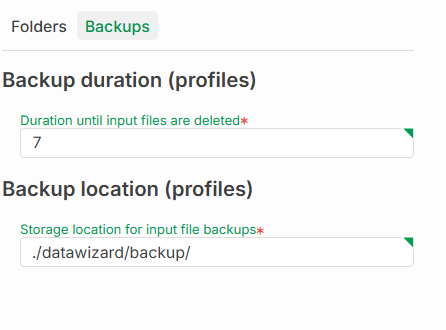
Backup duration (profiles) | Retention period until input files are deleted (in days). Legacy: |
Backup location (profiles) | Directory for backup files. Legacy: |