Overview
A temporary primary DMZ extends the DMZ failover mechanism at runtime. It is not stored in the configuration. The watchdog uses it as the primary DMZ while it is online. This applies until you remove the temporary primary DMZ.
You manage the temporary primary DMZ on the System, DMZ, Loadbalancing page. For background information, see Failover concept.
Prerequisites
Administrator role
Sufficient licenses for an additional DMZ instance.
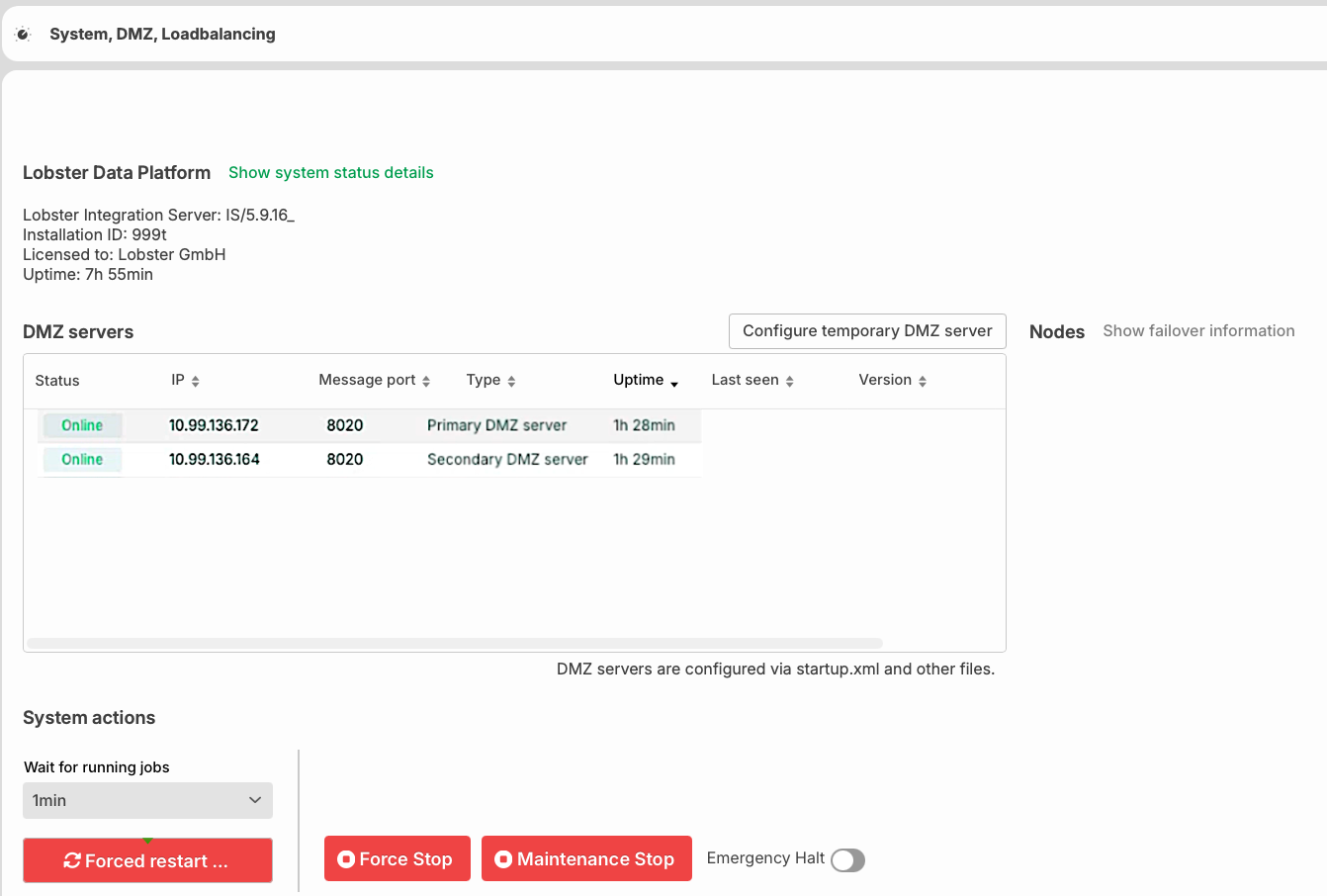
Overview of the DMZ server status and the system actions in the Lobster Data Platform user interface
Adding a temporary primary DMZ
Open Administration > Basic settings > System, DMZ, Loadbalancing.
In the DMZ servers section, click Configure temporary DMZ server.
In the dialog, enter New DMZ IP and Message port.
Click Save.
The system marks the instance as temporary. It is immediately active as the primary DMZ.
Removing a temporary primary DMZ
Open the context menu of the temporary DMZ instance.
Select Remove.
After the removal, the watchdog switches back to the next available configured DMZ.
NOTE: The Remove option is only visible for temporary DMZ instances.
Notes
You cannot add an already configured secondary DMZ as a temporary primary DMZ. The system rejects the entry with an error message.
If the licenses are not sufficient for another DMZ, adding fails.
The overview shows DMZ instances with a Bridge gateway configuration as DMZ and Bridge gateway.