Settings
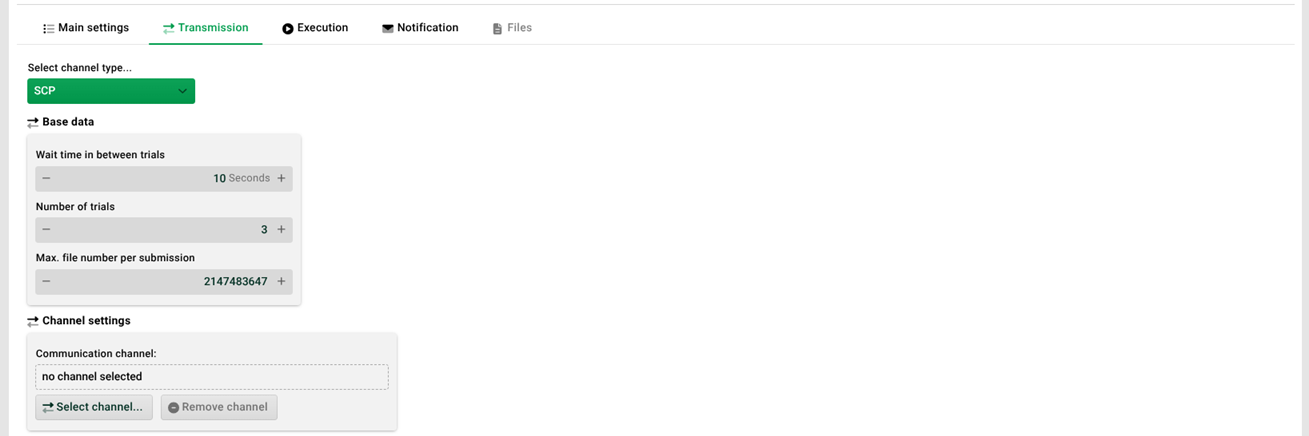

(1) Max. file number per submission: The maximum number of files that can be sent per message can be specified here. This can lead to several messages being created within a triggered transmission. You will find corresponding messages in the ASM log (... message 1, ... message 2, ...). However, all files collected up to that point are always processed for each triggered transmission.
(2) Channel settings: An SSH channel must be selected here.
(3) Directory: The target directory.
(4) Temporary file: Name of the temporary file during the transfer of the data. If a value is entered in this field, the data is first transferred to a temporary file on the destination system. After the file has been transferred successfully, the temporary file is renamed to the final destination file. The name of the temporary file can be set as follows.
The content of the field is appended as a suffix to the file name. Example: If the value
.tmpis entered in the field, the temporary fileorder4711.csv.tmpis created when transferring the fileorder4711.csv.
NOTE: If no leading dot is specified, it will be inserted automatically. The suffixtmpwould therefore lead to the same result.The content of the field is prefixed to the file name. Example: If the value tmp is entered in the field, the temporary file
tmporder4711.csvis created when the fileorder4711.csvis transferred.The content of the field is used as the name of the temporary file, regardless of the file name. Example: If the value
tmp.csvis entered in the field, the temporary filetmp.csvis created when the fileorder4711.csvis transferred.
(5) Control file: After a successful transfer of the data, a control file can be generated on the target system. You can also choose between Suffix, Prefix and Name. Example: If the value .ctrl is entered (and Suffix is selected), the control file order4711.csv.ctrl is created after the transfer of the file order4711.csv.