An integration unit converts the data from the Target tree into a specific output format, such as EDIFACT or XML.
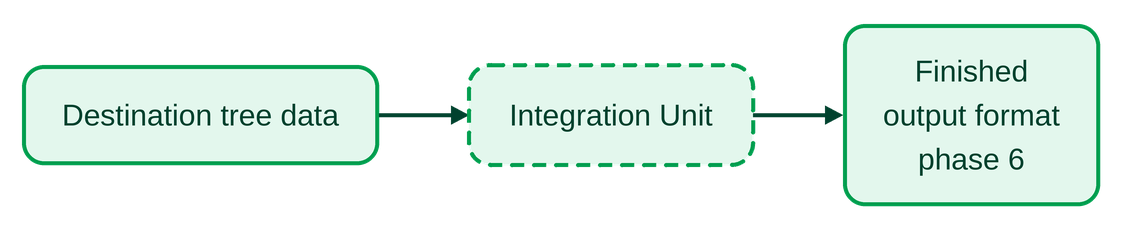
The output data can already be forwarded to third-party systems at this stage, even though Phase 6 is actually intended for this purpose.
In addition to constant values, variables can also be passed as parameter values using the syntax @Variable@. If a specified variable is not defined in the Profile, the expression @Variable@ is not expanded but is included unchanged.
Field values can only be passed via a variable: Store the field value in a variable and specify it as the parameter value.
Settings
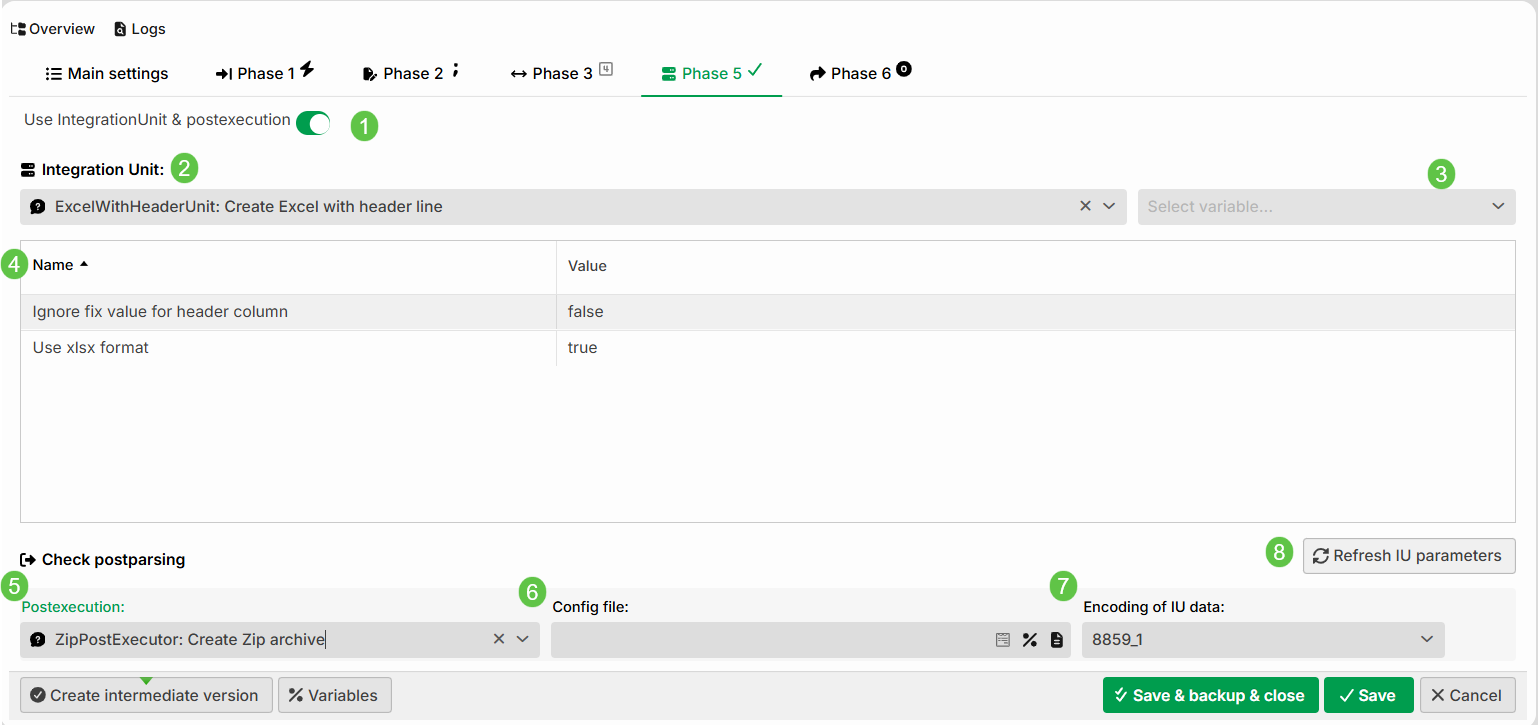
① Use IntegrationUnit & postexecution: Select this option to use an Integration Unit and/or post-processing (Postexecution) in Phase 5.
② Integration Unit: The selected Integration Unit.
③ Select a variable: The execution of an Integration Unit can be made dependent on a variable of type Boolean. The Integration Unit is executed if the variable has the value true.
NOTE: In principle, a variable of the string type can also be used. In that case, an implicit type conversion takes place.
④ Name, Value: The parameters of the Integration Unit. For details, refer to the Integration Unit documentation.
⑤ Postexecution: Selecting a post-processing class. See Postexecution.
⑥ Config file: The path to the postexecution class's configuration file (if necessary). In some cases, you should not enter a path to the configuration file here, but rather a simple configuration string. However, this is documented in the respective class.
⑦ Encoding of IU data: The initial encoding of the data for the postexecution class.
⑧ Refresh IU Parameters: If you are using an Integration Unit in an older profile, new parameters may have been added in newer versions of the Integration Unit. You can update these manually using this button.
IMPORTANT: Newly added parameters are set to their respective default values. This could result in different behavior. Therefore, please always check the updated parameters to avoid any unintended effects.
Where does the Integration Unit get its data?
Most Integration Units obtain their data from the target structure. There are a few exceptions, but these are specifically noted in the documentation for the respective Integration Unit. In addition, the Document type "Custom Class" allows the input file to be passed directly to the Integration Unit.
Accessing output data from the Integration Unit in the response
For a response to be able to access the data created by an Integration Unit, the "Content" has to be set to "Content of IU".
NOTE:
Also, as a general rule, make sure that for binary formats, such as PDF and Excel, the
ISO-8859-1encoding is always used in the responses so that the formats remain intact.
Postexecution in Phase 5
After the Integration Unit, a postexecution class can be called.

If multiple responses use the same postexecutor, a single call in Phase 5 is adequate – you do not need to call it individually in each response.
If a postexecutor requires a configuration file, specify it in the Config file field. Click the icon to the right of the filename to open a wizard that allows you to configure the file. The wizard is described in detail in Extensions (Main settings) — Preparser uses the same wizard.