The AMQP 1.0 channel establishes the connection to an AMQP 1.0 broker. On this page, you configure the address, credentials, and certificates for broker access. The credentials are stored centrally and encrypted via the authentication service. Lobster Data Platform acts as the client in this process.
Connection and Transport
The channel supports TCP and WebSockets, each with or without TLS. You specify the desired transport via the prefix in the partner address:
Prefix | Transport |
|---|---|
| TCP without TLS |
| TCP with TLS |
| WebSockets without TLS |
| WebSockets with TLS |
With TLS, the broker's certificate is validated against the Java CA truststore by default. If it cannot be validated this way, for example because the signing CA (Certification Authority) is not stored there or the broker uses a self-signed certificate, import the broker's public certificate and select it under Partner Certificate.
Authentication
Basic Authentication and OAuth2 are supported as authentication methods. If no credentials are stored, the channel connects without authentication. You select the mode in the Authentication Mode field (see section Additional AMQP 1.0 Settings).
Warning: The Basicmode is permitted over unencrypted connections (
amqp://,ws://), but generates a warning entry in the log. In this case, the credentials are transmitted in plain text. This mode is intended exclusively for test purposes; use is at your own risk.
NOTE:
The OAuth2 mode requires a TLS-encrypted connection. Unencrypted connection attempts are rejected to prevent credentials from being exposed.
Navigation path
Administration > Partners > Partners/Channels > Create new channel > AMQP 1.0
Settings
General
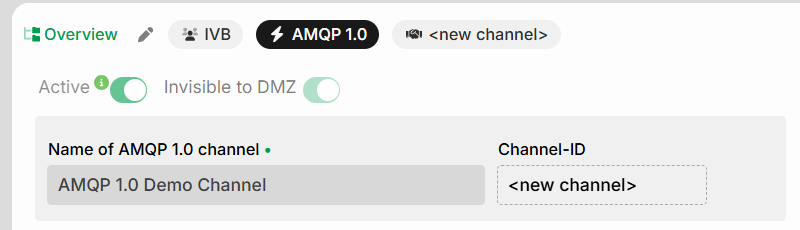
Name | Description |
|---|---|
Active | The channel is always active; it serves solely as a carrier of the credentials. The actual status is not checked here but in the connection configuration. |
Invisible to DMZ | The channel is always invisible to the DMZ server. The DMZ does not support AMQP, so the channel does not need to be synchronized with the DMZ server. |
Name of AMQP 1.0 channel | Unique name of the channel. Required field. |
Channel-ID | ID assigned by the system. Until the channel is created, “<new channel>” is displayed. Read-only. |
Tabs

The tabs give you access to the following configuration areas:
Own ID (Me towards Partner): Address of the broker to which the connection is established. The prefix determines the transport and TLS (see section Connection and Transport). Required field.
Partner contact: Contact details of the partner such as name, phone, and address. Self-explanatory.
Additional IDs: Channel-specific values for centrally created additional IDs. See also Additional IDs (central).
Certificates

Name | Description |
|---|---|
Local certificate (TLS Client Auth) | Certificate used by Lobster Data Platform to authenticate itself to the broker if the broker requires TLS client authentication. If no certificate is assigned, no client authentication takes place. |
Partner certificate (TLS Client Auth) | Public certificate of the broker used for validation if the broker certificate cannot be verified via the Java CA truststore. |
Further AMQP 1.0 Settings
Auth Mode | Description |
|---|---|
Basic | Authentication via username and password. See Basic. |
OAuth2 | Authentication via OAuth2 client credentials. See OAuth2. |
OAuth2
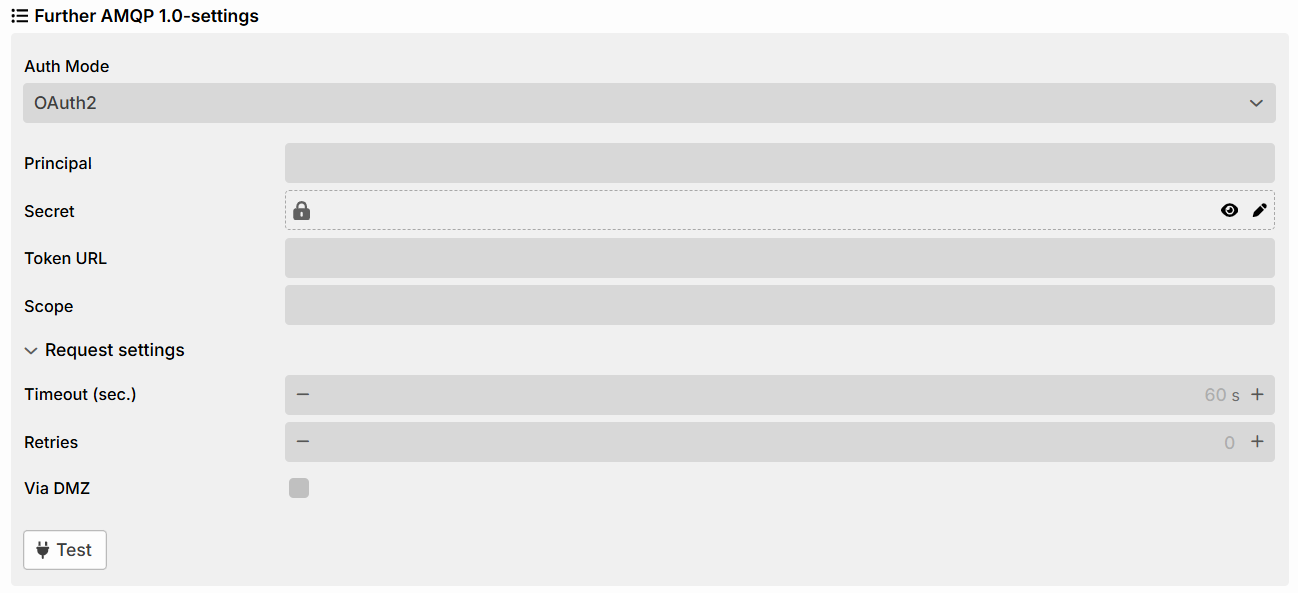
Name | Description |
|---|---|
Principal | Identifier of the OAuth2 client. |
Secret | Client secret of the OAuth2 client. Supports Vault access. |
Token URL | Endpoint used to request the access token. |
Scope | Optional OAuth2 scope (see OAuth Scopes). |
Request settings | Expandable section for fine-tuning the HTTP request for the OAuth2 token (timeout, retries, routing via DMZ). These settings do not affect AMQP. |
Timeout (sec.) | Time limit of the token request in seconds. Default: 60. |
Retries | Number of retries for a failed token request. Default: 0 (no retry). |
Via DMZ | If the checkbox is selected, the HTTP token request is routed via an existing DMZ. AMQP itself is not routed via the DMZ. Default: not selected. |
Test | Tests the configured connection to the broker. Available for both authentication modes. |
Basic
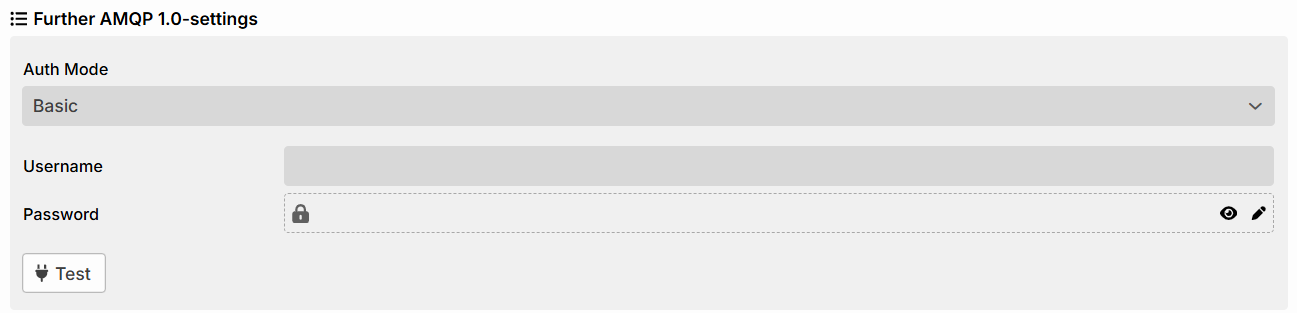
Basic authentication is performed using a username and password. The password can be retrieved from Vault.
Actions

Name | Description |
|---|---|
Create new channel | Saves the channel. |
Cancel | Discards the entries. |