An AMQP 1.0 connection lets you register an AMQP 1.0 channel under an alias and set the connection timeout. You configure the credentials themselves under Partner/Channels (see AMQP 1.0 (channel settings)).
Navigation path
Configuration > Connections > AMQP connections >  > Add new connection > AMQP 1.0
Alternatively, open the context menu of a list entry and select Add new connection > AMQP 1.0.
Overview
The overview lists the existing AMQP connections. Use Refresh to update the list.
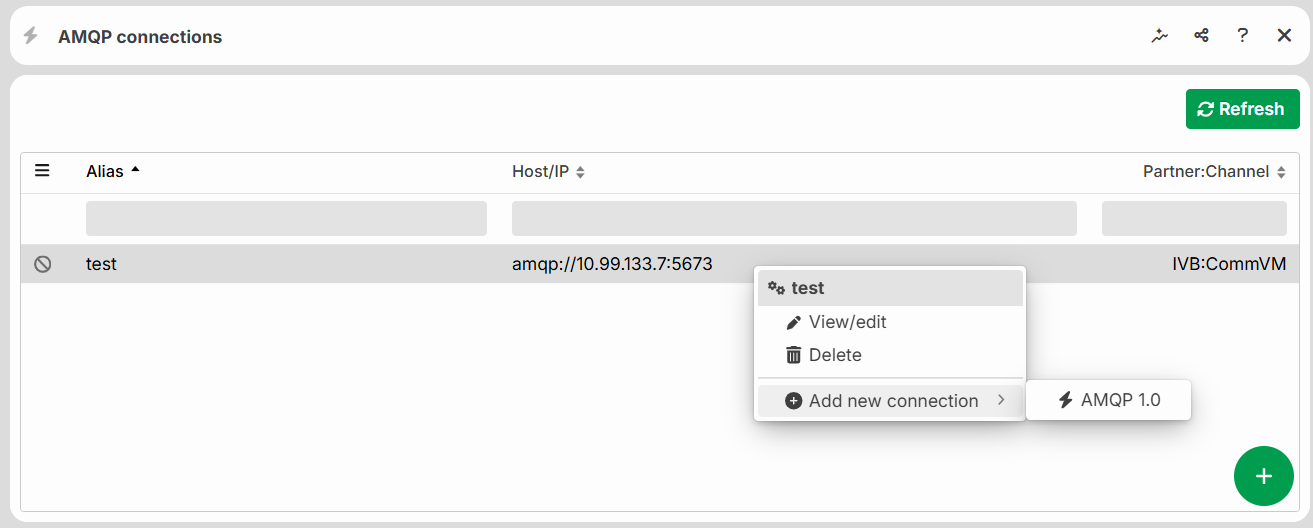
The icon on the left of the row indicates the connection status: working, not working, or disabled.
The following actions are available via the context menu of an entry:
Action | Description |
|---|---|
View/edit | Opens the connection for editing. |
Delete | Removes the connection. |
Add new connection | Creates a new AMQP 1.0 connection. |
Settings
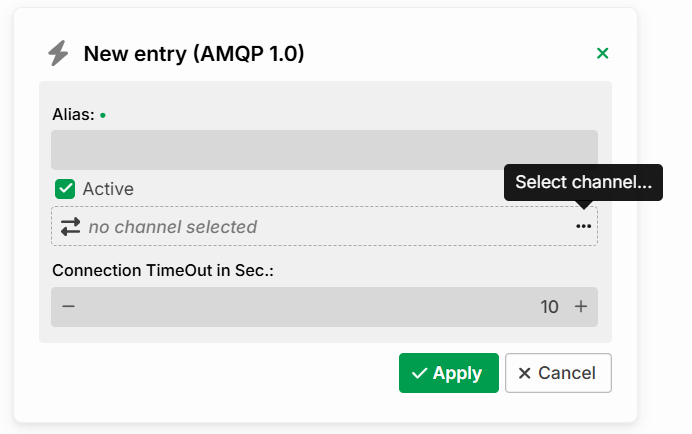
Setting | Description |
|---|---|
Alias | Name of the connection. Required field. |
Active | If the checkbox is selected, the connection is usable. Otherwise, it is inactive and not available for communication. |
Channel | Assigned communication channel that provides the address, certificates, and authentication (see AMQP 1.0 (channel settings)). The button |
Connection TimeOut in Sec. | Latency during connection establishment in seconds. Default: 10. |
 Select channel opens the channel selection dialog.
Channel selection
In the Channel selection dialog, you assign a channel to the connection.
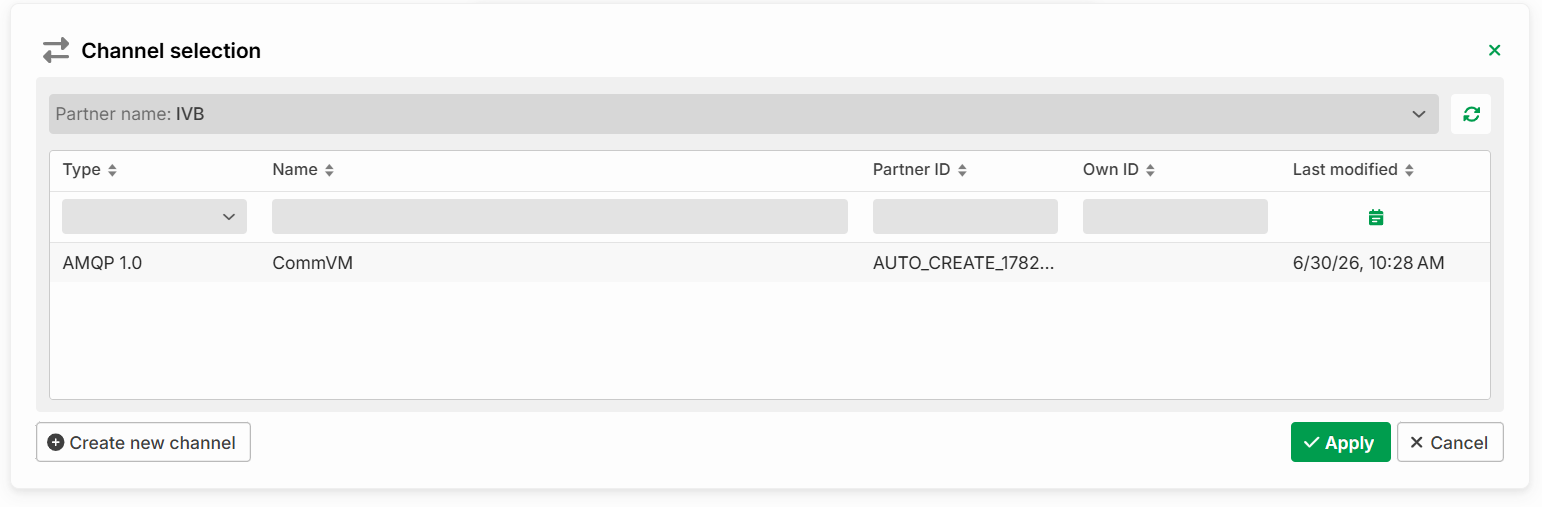
Actions
Action | Description |
|---|---|
Create new channel | Creates a new channel. |
Apply | Saves the connection or applies the selection. |
Cancel | Discards the entries. |