Navigation path
Administration > Partners/Channels > [Select partner] > Create new channel > HTTP(S)
Settings
Own ID (Me towards partner)
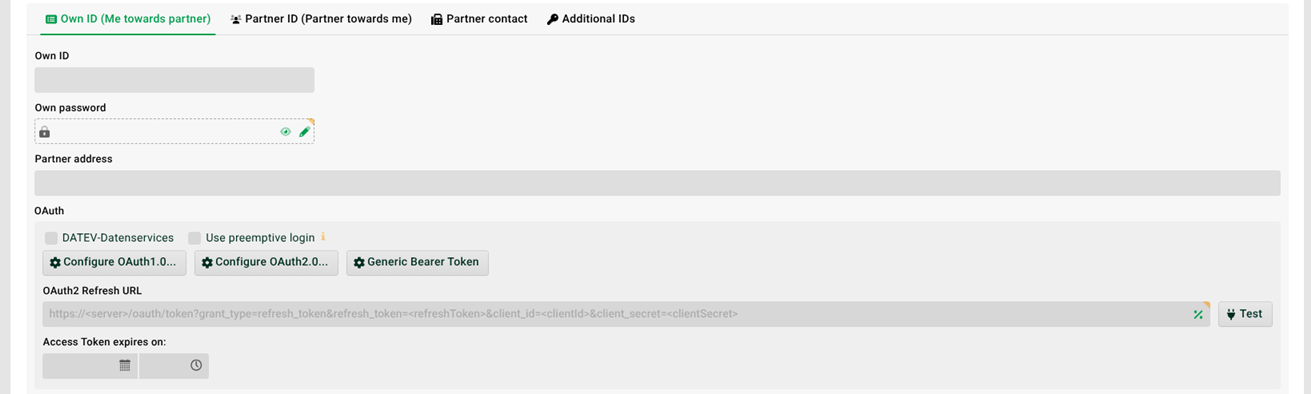
Setting | Description |
|---|---|
Own ID | An identifier that the channel uses to authenticate itself to the partner. See the "Own ID (Me towards partner)" section in Channels). |
Own password | Password used by the channel to authenticate with the partner. See the "Own ID (Me towards partner)" section in Channels). |
Partner address | Address (URL) of the peer system for the outbound HTTP(S) connection. |
DATEV-Datenservices | See DATEV OAuth2 hybrid flow for a specific OAuth2 variant used by DATEV. |
Use preemptive login | Sends the login credentials (Basic authentification) immediately with the first request. The channel does not wait for an authentication request from the server. This eliminates the need for an additional request and allows more integrations to succeed on the first try. NOTE:
See the "Premptive authentication" section in HTTP |
Configure OAuth 1.0 | Configures authentication via OAuth 1.0. The goal is to manually retrieve an access token initially. The token is stored in the channel and used for requests to the (resource) server. As soon as something is entered via the button, OAuth is active (indicated by the exclamation mark). The access token appears as the entry |
Configure OAuth 2.0 | Configures authentication via OAuth 2.0. The goal is to manually retrieve an access token (and, if necessary, a refresh token) initially. The token is stored in the channel and used for requests to the (resource) server. As soon as something is entered via the button, OAuth is active (indicated by the exclamation mark). In "Additional IDs" (see Channels), the access token appears as By default, the token is passed in the Authorization header. To use a different header, use the central additional identifier |
Generic Bearer Token | If a bearer token is required for authentication but the server does not offer a standardized OAuth flow, you can define a generic method for retrieving the token. See Generic bearer token (Client). |
HTTP-Headers for OAuth 2 Refresh | Opens the Refresh Http Headers dialog for the HTTP headers that are sent during a token refresh via the OAuth2 Refresh URL. |
OAuth2 Refresh URL | Contains the URL for automatically renewing an expired access token. If the refresh URL is valid and a refresh token is present, renewal occurs automatically with every HTTP request. It is triggered as soon as the token expires (or 20 seconds before expiration). The expiration time (Access Token expires on:) and the refresh token are also updated during this process. Standard-URL: The placeholders are populated from the OAuth2 configuration (Configure OAuth2.0) and the Partner address field ( Optional additions: Not every authorization server provides a refresh token; for the Client Credentials grant type, the RFC explicitly does not provide for one. If a refresh token is missing, the default URL will not work. If the access token initially retrieved via OAuth 2.0 (Client) expires, you can retrieve a new token using the following URLs (select using the Client credentials: Password credentials: |
Test | Manually triggers the refresh for testing purposes. See also: |
Access Token expires on: | Displays the expiration time once an access token has been retrieved via the OAuth 2.0 configuration (Configure OAuth 2.0) or the OAuth 2.0 Refresh URL. |
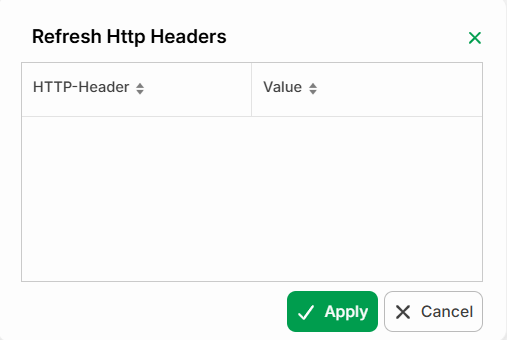
"Refresh HTTP Headers" sub-dialog
Setting | Description |
|---|---|
HTTP-Header | Name of the HTTP header. |
Value | Value of the HTTP header. |
Apply | Applies the defined headers. |
Cancel | Closes the dialog box without saving the changes. |
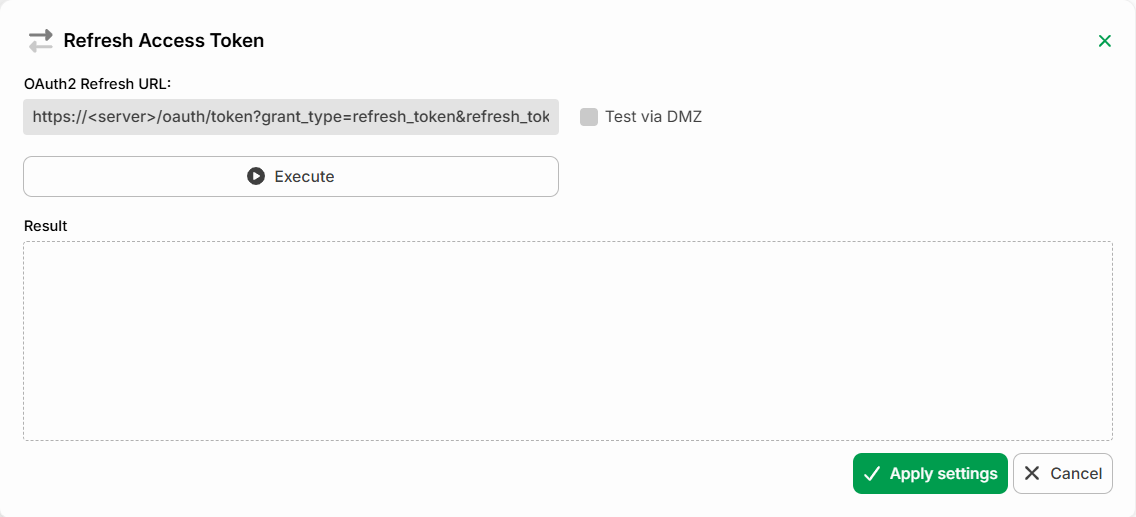
"Refresh Access Token" sub-dialog
Setting | Description |
|---|---|
OAuth2 Refresh URL | This is automatically carried over from the main dialog. |
Execute | Retrieve the new access token (and refresh token). |
Result | The results of the query are displayed here. |
Apply settings | Adds the new access and refresh tokens to the channel (see the "Additional IDs" section in Channels). Since the test is a real call, this update is required. Otherwise, the tokens in the channel will become stale because the server expects the newly provided ones. The expiration time (Access token expires on:) is also updated. |
Cancel | Closes the dialog box without saving the changes. |
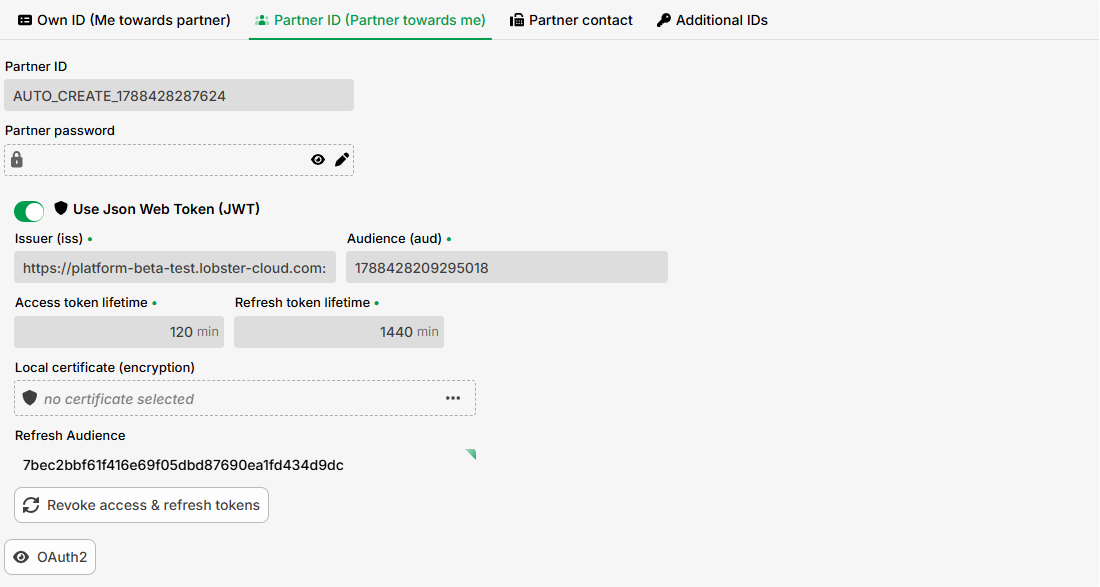
Partner ID (Partner towards me)
Setting | Description |
|---|---|
Partner ID | An identifier that the partner uses to authenticate with the channel. See the "Partner ID (Partner to Me)" section in Channels. |
Partner password | The password the partner uses to authenticate with the channel. See the "Partner ID (Partner to Me)" section in Channels. |
Use Json Web Token (JWT) | JSON Web Token (JWT) is the default setting. For a description of the individual fields, see the "JSON Web Token" section in OAuth 2.0 (Server). |
OAuth2 | If Lobster Data Platform acts as an HTTP server, the client can authenticate using OAuth 2.0. The Use JSON Web Token (JWT) option is selected by default. See OAuth 2.0 (Server). |
OpenID | Authentication via an OpenID provider. See OpenID (Server). Not visible if the Use JSON Web Token (JWT) option is selected. |
General Settings
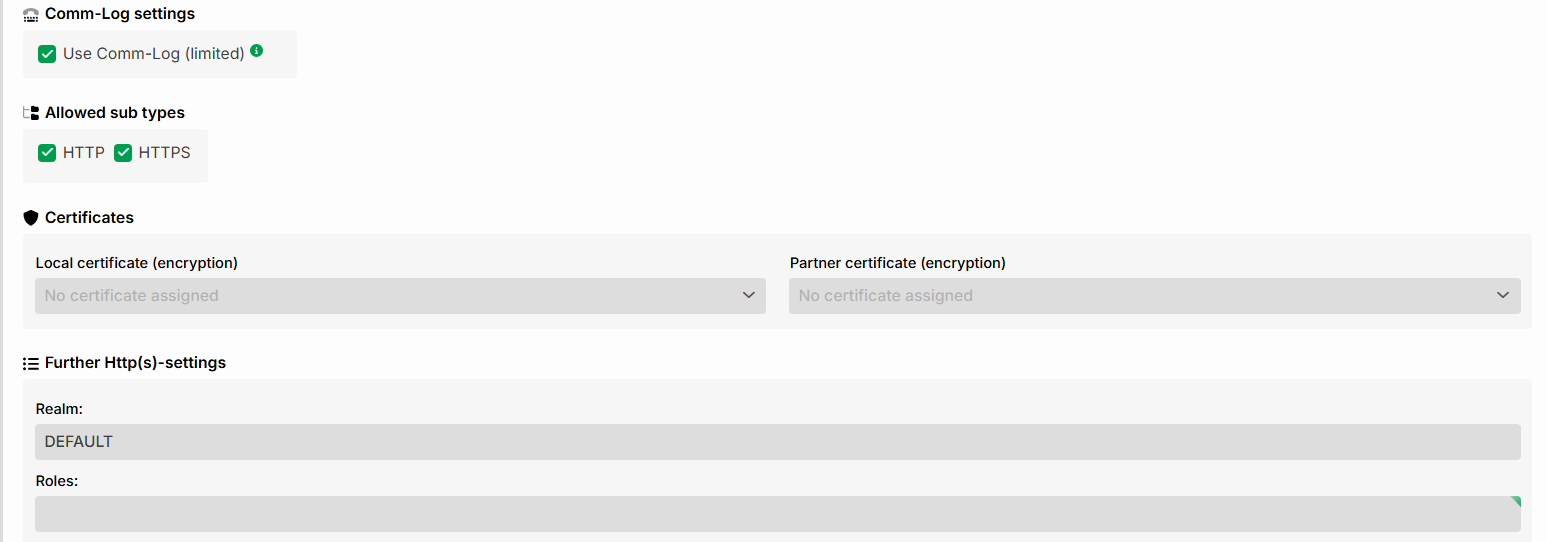
Setting | Description |
|---|---|
Use Comm-Log (limited) | Specifies whether the system logs the communication steps with the partner system. For a general description, see Channels; the logs can be found in the Control Center. NOTE: The following special considerations apply to HTTP channels: The behavior differs for HTTP channels. Comm-Log events are generated only in the HTTP response path and during ASM transfers via HTTP. An HTTP status code >= 200 and < 300 is considered an MDN; otherwise, it is considered an NDN. The Control Center does not display these events; however, the CommLog (Input agent) can intercept them. Also relevant is the option No processing of already handled files (see General (Main settings)). |
Allowed sub types | Specifies which connection subtypes the channel accepts: HTTP (unencrypted) and/or HTTPS (HTTP over SSL/TLS). If HTTPS is the only option, only encrypted connections are allowed. |
Certificates | Certificates are required for the HTTPS (HTTP over SSL) subtype. NOTE: A client certificate may also be required for the outbound HTTP(S) connection. The Local certificate (encryption) is used for this purpose. See Certificates. |
Further Http(s)-settings |
|
Partner contact
See Partner Contact.
Additional IDs
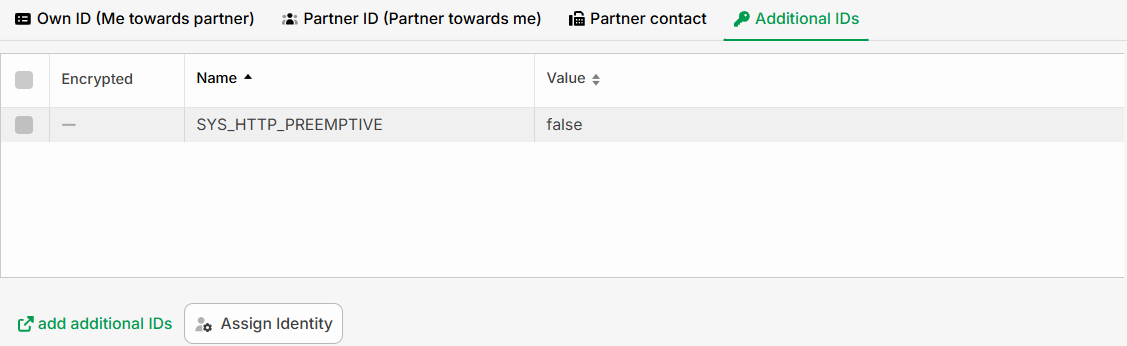
In this tab, you define the channel-specific values for the Additional IDs (central) in Partner Management. For a general description, see the "Additional IDs (in channel)" section in Channels. The following points are relevant for HTTP(S) channels:
HTTP headers
Additional identifiers of the form SYS_HTTP_<HEADERNAME> generate HTTP request headers. If a header with the same name is set in the profile, that header takes precedence. This allows you, for example, to create a header for an API key. For more details, see HTTP (cron input agent) and Response HTTP.
API key
An API key is typically passed via an HTTP header. There are two ways to authenticate:
If you already have the API key, create an appropriate HTTP header (which varies depending on the API).
If the key must first be retrieved via HTTP, use the Generic bearer token (Client) process.