The Custom type definitions menu item is located in the main menu under Orchestration > Custom type definitions. It opens an overview of all created type definitions.
A type definition is of one of the following types:
Within a type definition, you define its components:
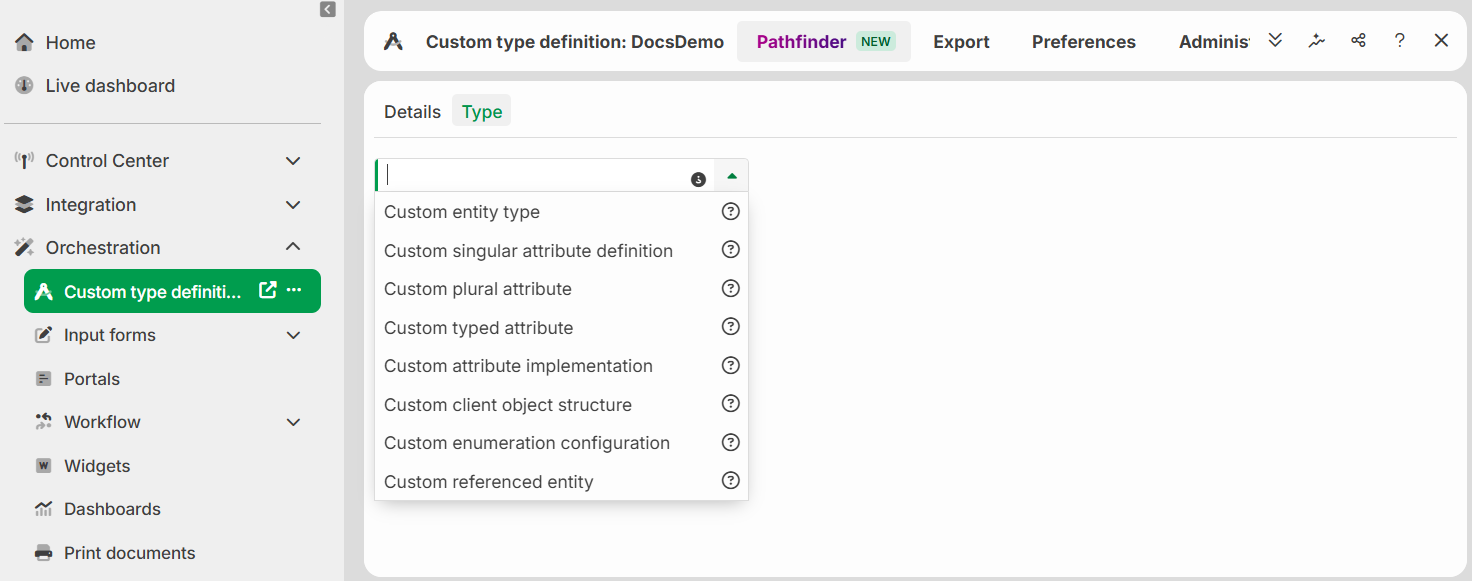
Overview of the custom type definitions.
Prerequisites
Changing and creating custom type definitions requires basic knowledge of relational databases. Training on the subject is recommended.
Creating and editing custom type definitions requires the Create, Read, Update, and Delete permissions, which are managed in the Roles menu.
Effects on the database
Custom type definitions determine how custom data structures for persistable data objects are built. When you save a type definition, the system therefore checks whether this requires changes to existing database structures:
A progress indicator appears during the check because it can take some time.
If changes are required, the system lists them in a dialog window and submits them to you for confirmation. You can only confirm or reject the listed changes as a whole.
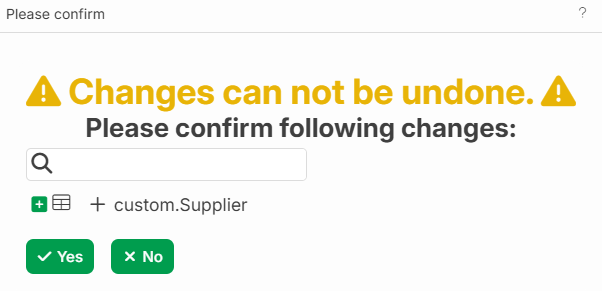
CAUTION:
Changes to table columns that already contain data may require existing content to be deleted. Only confirm database changes when you can ensure that no other user and no Import interface accesses the system until the changes are complete. Depending on the situation, it can help to announce system maintenance.
Creating a type definition
There are two ways to create a new type definition:
Manually – you create the type definition yourself and define its components step by step.
AI-assisted with Pathfinder – Pathfinder generates the type definition from a description or an uploaded document.
Creating manually
The New button opens a window for creating a new type definition. Namespace and Name are required fields. Translations and a description are optional.
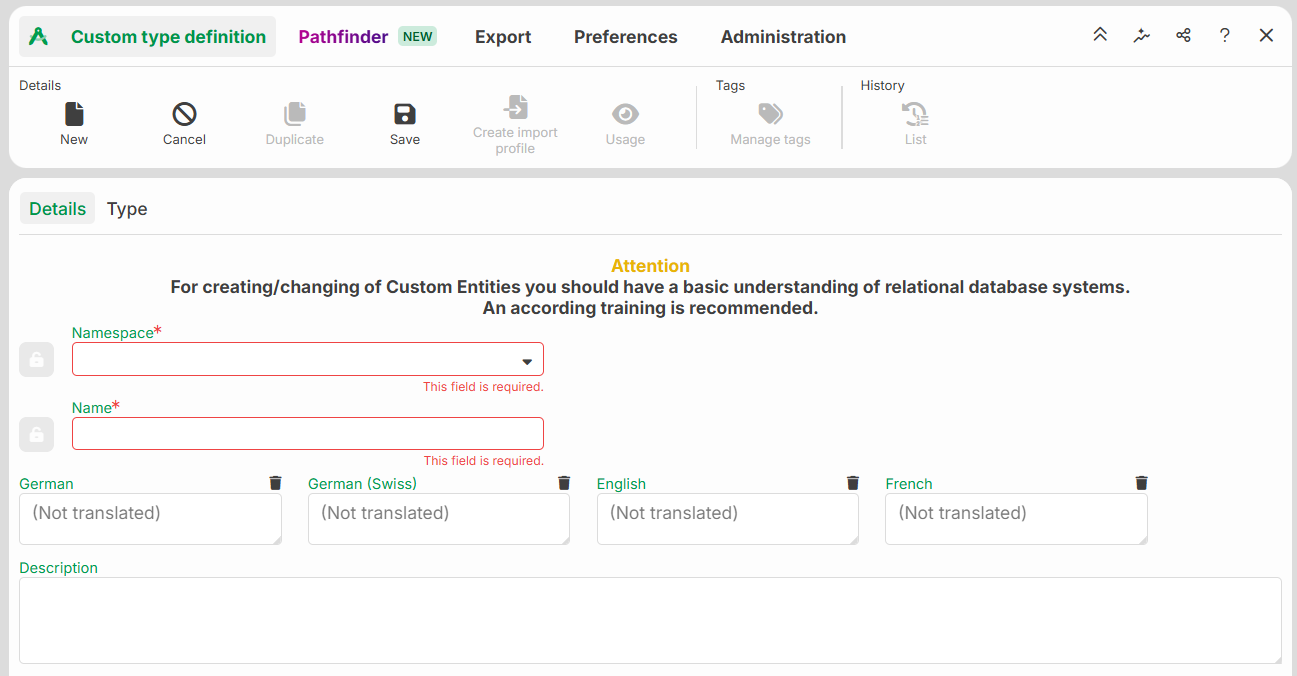
Creating a new type definition using the New button.
Creating with Pathfinder
The Pathfinder tab contains the Build with AI button. Pathfinder uses it to generate a type definition with AI. For detailed instructions, see Creating custom type definitions with Pathfinder.
Create import profile
The Create import profile button essentially aims to facilitate the import of data for suitable custom type definitions.
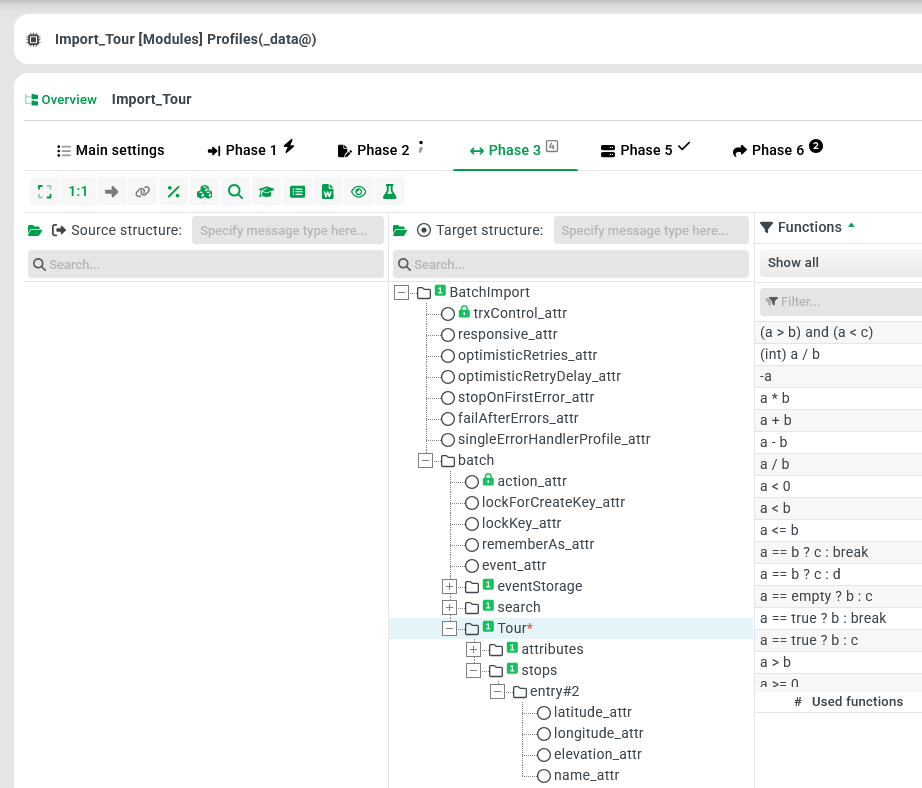
A new Profile with a batch import target structure is created at the touch of a button. The object structure for the selected type definition is automatically inserted into its
batchnode.Phase 3 (see screenshot below) is thus prepared so that the Mapping can start immediately, depending on a specific source structure.
Typical settings for a batch import are also assigned for Phase 5 and Phase 6.
Example: type definition Custom entity type "Tour"
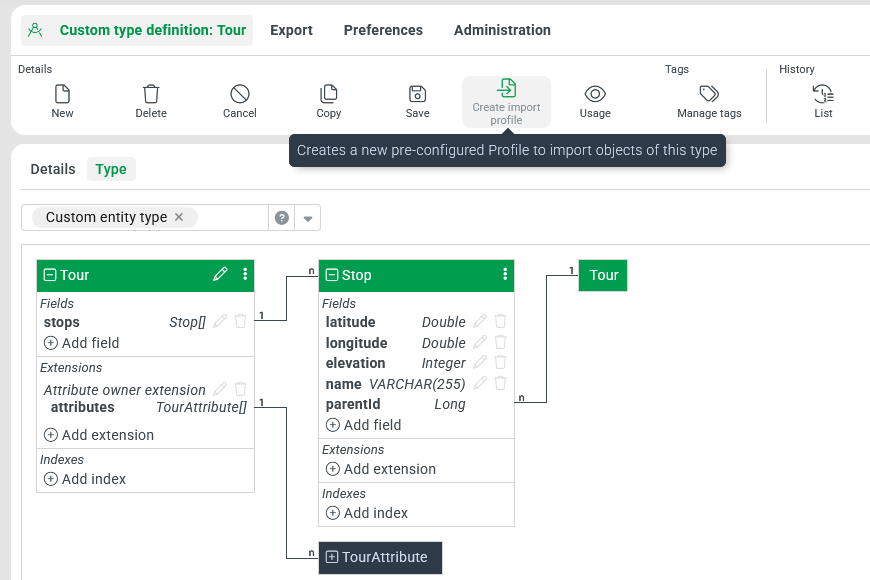
Example: automatically created profile Batch Import
Cyclical definitions
A cyclical definition occurs when a type definition refers back to its own type, either directly or through a chain of fields or attributes. Such a self-reference is useful when objects of the same type are linked to each other, for example, a shipment that refers to a previous shipment.
Cycles are structurally permitted; you can create a type definition that refers to its own type. In the data, however, cycles are not permitted. A specific object must not contain itself, either directly or through a chain of other objects. For example:
Shipment1 → CustomAttribute → Shipment1 - not permitted
Shipment1 → CustomAttribute → Shipment2 - permitted
A reference to the same entity is only possible if the target object is only referenced and not embedded. To achieve this, enable the Reference only option for the Linked entity. Only the ID of the target object is then stored, so that no infinitely nested object is created.