Pathfinder uses AI to generate a custom type definition from a natural-language description, an uploaded document, or both. This guide shows you how to generate, adjust, and save a type definition.
NOTE:
You can create custom type definitions with Pathfinder only through the Build with AI button on the Custom type definitions page. This button starts a specialized AI assistant for type definitions. This is not possible through the general Pathfinder chat.
Prerequisites
Pathfinder is enabled in the system.
Procedure
Go to Orchestration > Custom type definitions.
Switch to the Pathfinder tab and click Build with AI. The Custom type definitions assistant opens on the right.
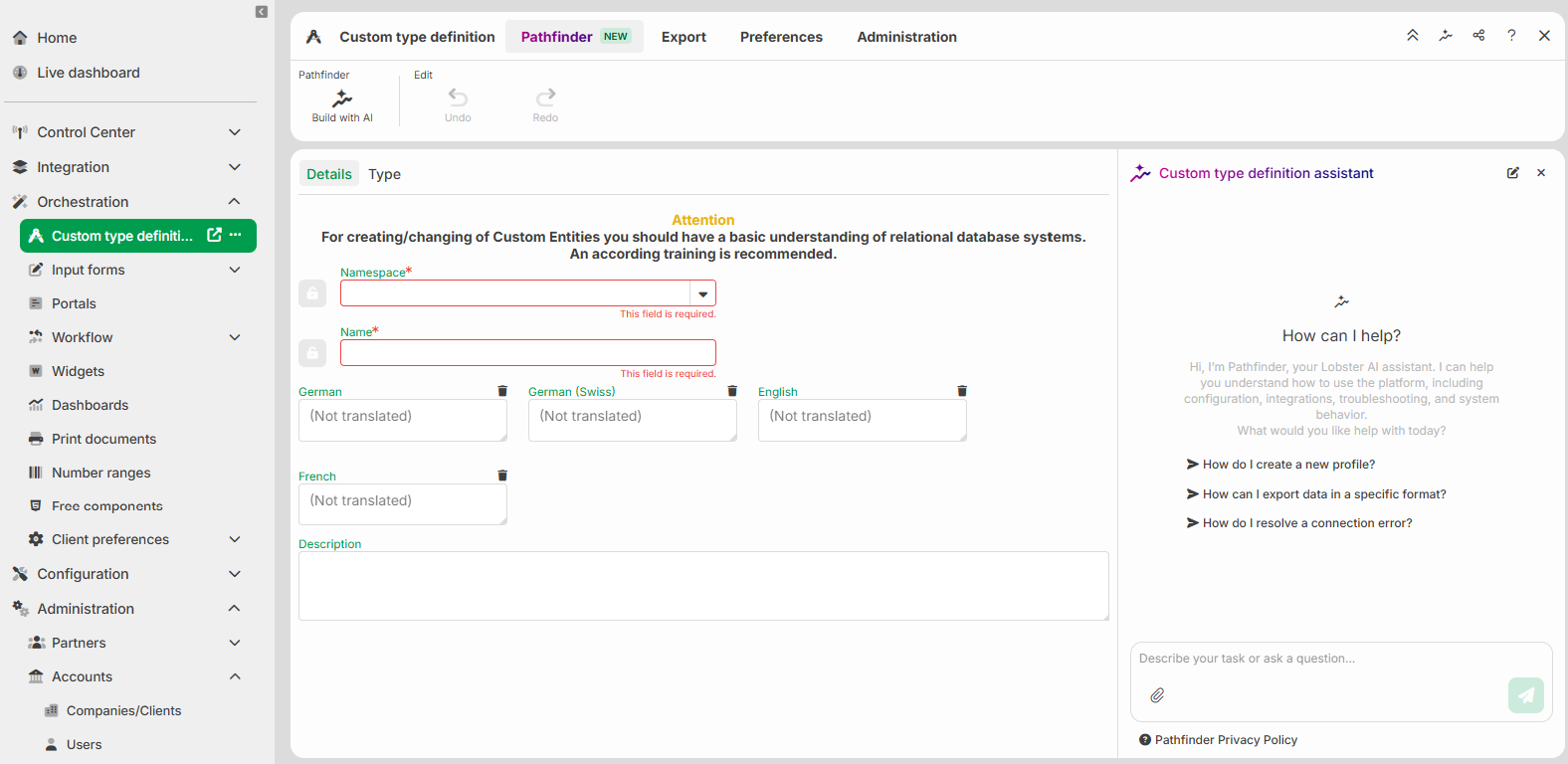
In the assistant, specify what to generate:
describe the desired structure in the input field,
and/or use the paperclip icon to attach a document for Pathfinder to derive the structure from.
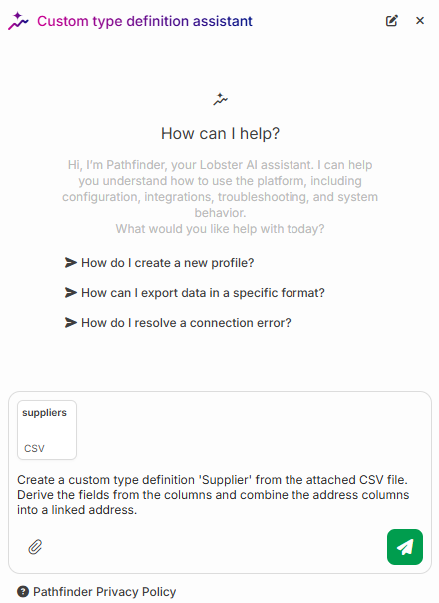
Then send the prompt.
During generation, a loading status appears. You cannot edit the type definition during this time.
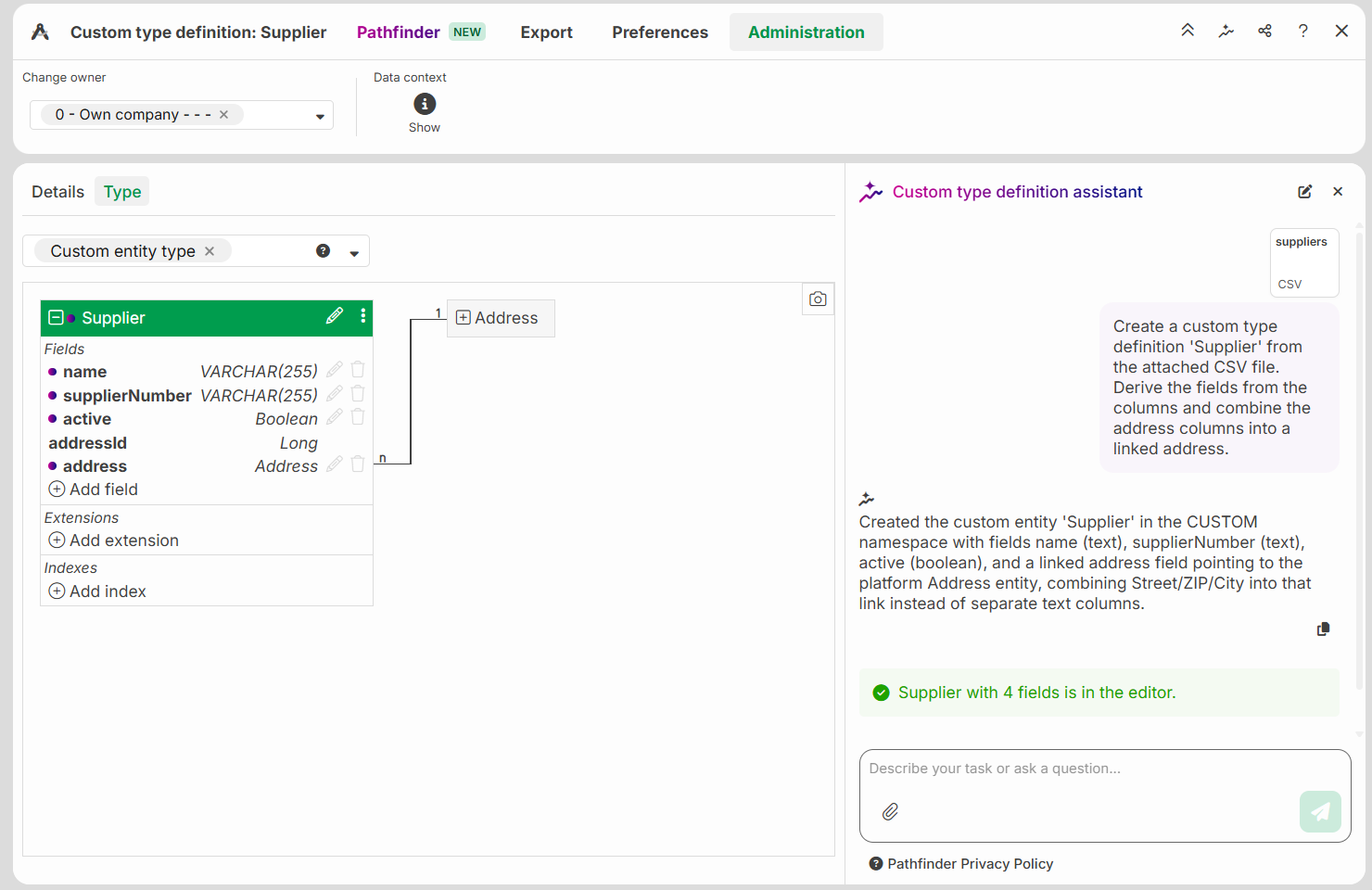
Review the result on the Type tab. Pathfinder derives the fields and types automatically. If needed, you can:
request further changes with a prompt
edit the type definition manually
use Undo and Redo to revert or reapply changes
Save the type definition.
Result
Pathfinder has generated the type definition based on your input. You can see the derived entities and fields on the Type tab, where you can adjust or save them. Elements created by Pathfinder are marked with a dot.
Attaching files
You can attach files of the following types to the assistant:
text files such as CSV, TXT, Markdown, and HTML,
Excel spreadsheets (XLS, XLSX),
structured data in JSON or XML format,
PDF files,
images (for example JPG, PNG, GIF, WEBP).
The following limits apply:
a maximum of 10 MB per file,
a maximum of 5 files per message.
Other formats are rejected, such as DOCX, ZIP, or files with no recognizable type. In this case, the assistant shows an error message. The check is based on the file type, not the file extension. The file must also be well-formed. For example, JSON must be valid, and a text file must be UTF-8 encoded.