The execution of the transmission of the collected files is triggered by a cron job.
The transmission can also be triggered with the custom class (Phase 6) ASMResponse and with workflows.
Settings
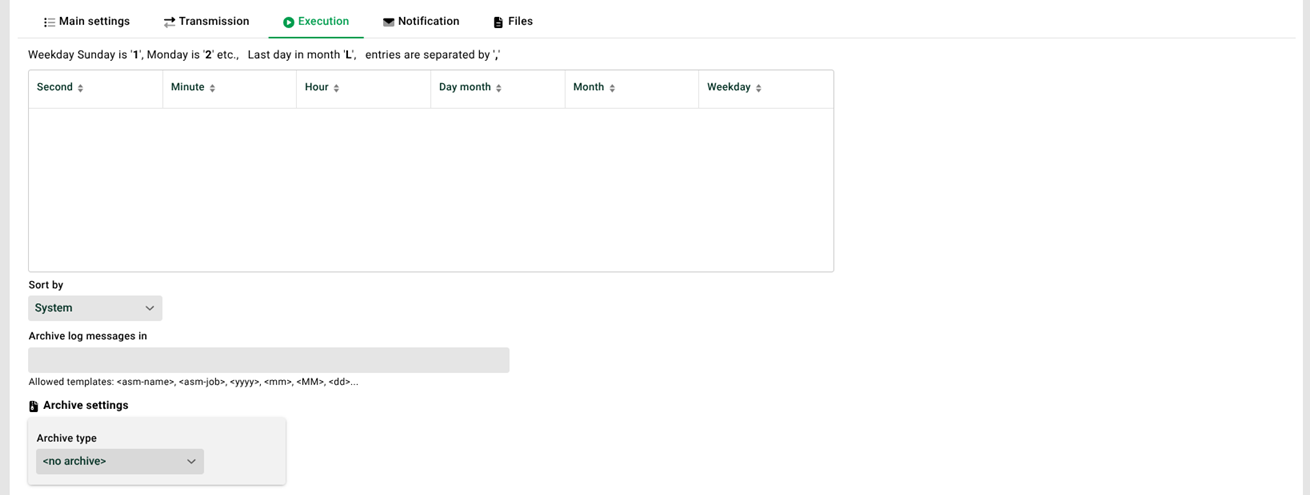
(1) List on top: Just as for scheduled input agents, cron jobs can be defined here (→ context menu).
(2) Sort by: The files to be transferred can be sorted in ascending or descending order by the system, file name (last modified), timestamp, or metadata (timestamp of their generation, including milliseconds). If there is no metafile for a file, the timestamp (last modified) of the file is used.
(3) Archive log messages in: Log messages of a transmission can be saved as a file, whose name can be specified here. Some of the allowed placeholders (see File names, file patterns, paths, placeholders) are listed above the input field.
(4) Archive settings: The collected files can be packed into an archive before transmission. You can specify a (AES) password for ZIP and 7z, however, with 7z an AES password is always changed back to a normal password after saving. The archive name must contain a consecutive number, otherwise, a unique name would not be guaranteed and the archive might be overwritten. The current number range value of the ASM entry can be used for this purpose with the placeholder <n>. See Main settings (ASM). If archive name is lobster/unzip, the payload is viewed as a zip file. The file is unpacked and all files are transferred. Each file is created with the name it has in the archive.
NOTE: If you archive, there will be a single transmission of all the archived files. If you do not archive, each file is transmitted individually.