With the "E-invoicing validator", you can check electronic invoices for formal, structural, and technical accuracy. This ensures that your invoices comply with official requirements before you send or process them further. The validator supports the following standards:
BIS Billing
XRechnung
ZUGFeRD
The installed validation configuration determines which standard and which version are checked.
How the check works
The validator first automatically identifies the standard, version, and Document type. It then checks the document in two stages.
Structure validation against XSD
XML schema validation (XSD) checks whether:
The XML has the correct syntax.
The document contains the expected elements and attributes.
The correct order is followed.
Data types are used correctly.
It corresponds to the underlying UBL/CEN structures.
This validation ensures that the document formally conforms to the expected XML model.
Technical validation using Schematron
XSD validation alone is not sufficient for e-invoices. Therefore, Schematron is also used. Schematron rules validate business and semantic requirements, for example:
Required fields in certain business contexts.
Dependencies between fields.
Consistency of totals.
Valid codes from code lists.
Rules from EN 16931.
Peppol-specific business rules.
The validator then returns the result as a validation report; if there are errors in the invoices, it includes an error code and error message.
ZUGFeRD and XRechnung invoices can be in PDF/A-3 format with an embedded XML file. In this case, the validator automatically extracts the XML file before the validation process. BIS Billing is validated exclusively as XML.
Installation
You can install the validator as a template from the template gallery (see Start from template). There is a separate template available for each standard.
During installation, the template automatically sets up all the necessary components:
Validation profile – In the
Connectors and Templatesgroup, create theE-Invoicing Validationprofile. It contains one Subprofile per installed standard that performs the validation.HTTP endpoint – The corresponding REST endpoint is created in the API Manager.
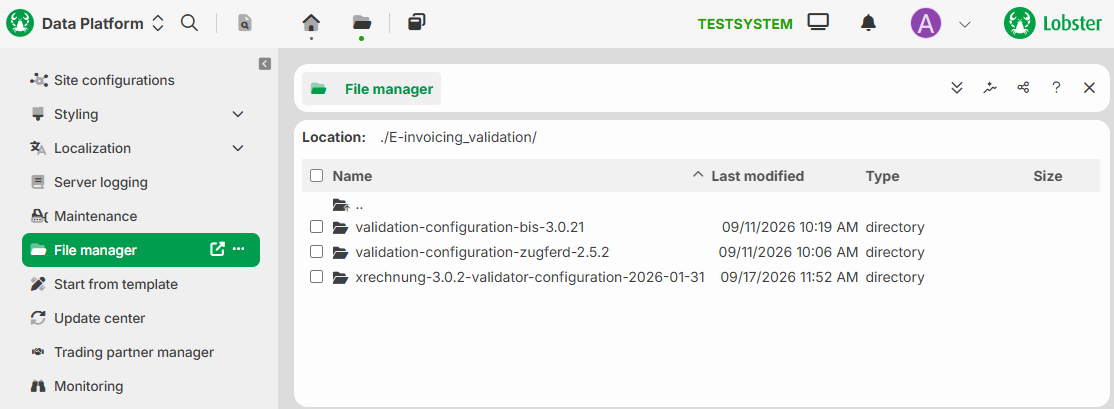
Validation files – the Configuration Files are stored in the File manager under
./E-invoicing_validation/. The required Java libraries are provided in the<install-dir>/libdirectory.
To view the files that have been uploaded in the file manager, you need the Super user role.
Access options
There are two ways to check an invoice.
About the validation profile
For each standard, the template provides a profile that performs the validation:
BIS Billing:
TEMPLATE_BIS-Billing_ValidationZUGFeRD:
TEMPLATE_ZUGFeRD_ValidationXRechnung:
TEMPLATE_XRechnung_Validation
The profile receives the invoice to be validated as input.
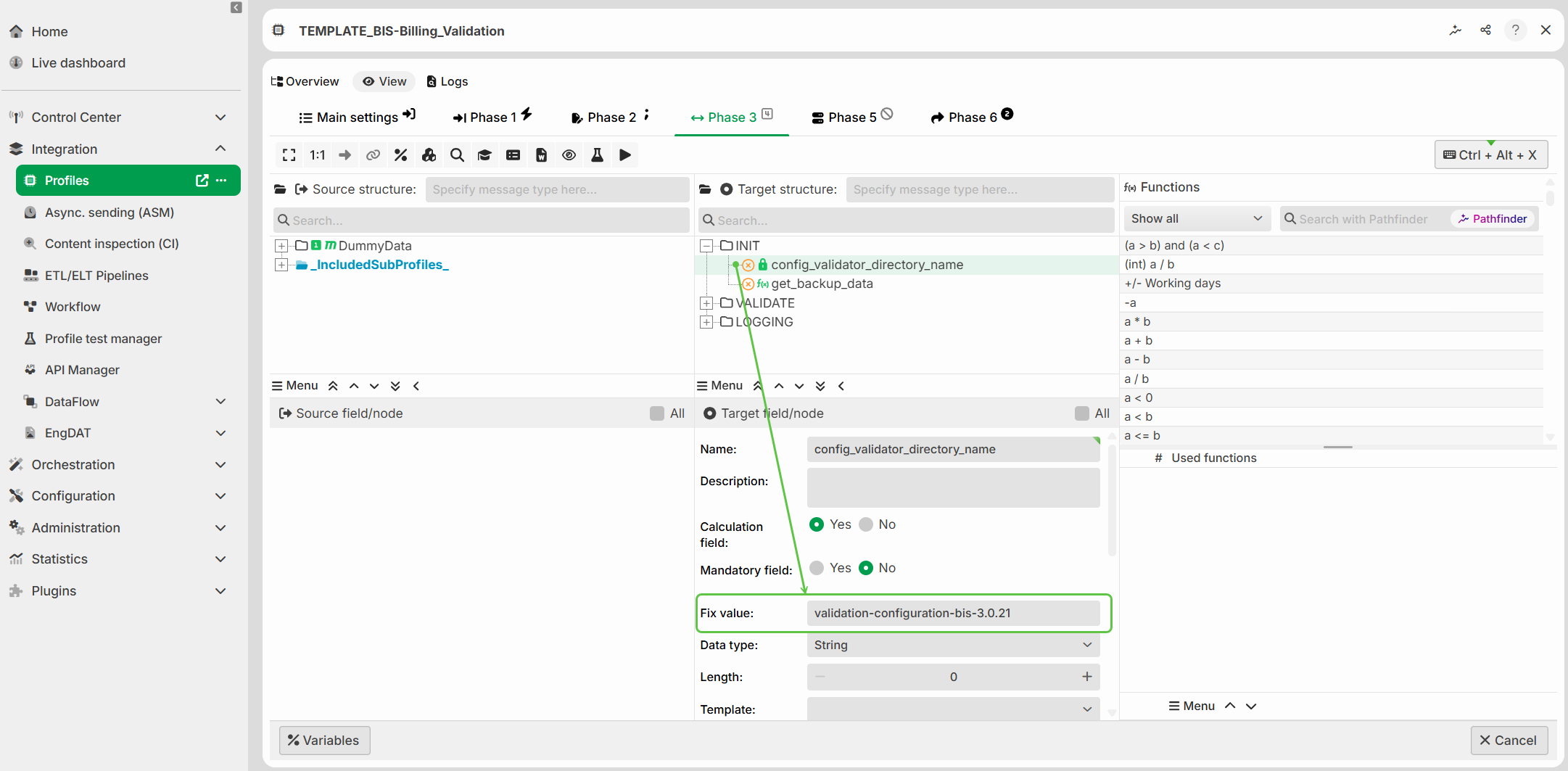
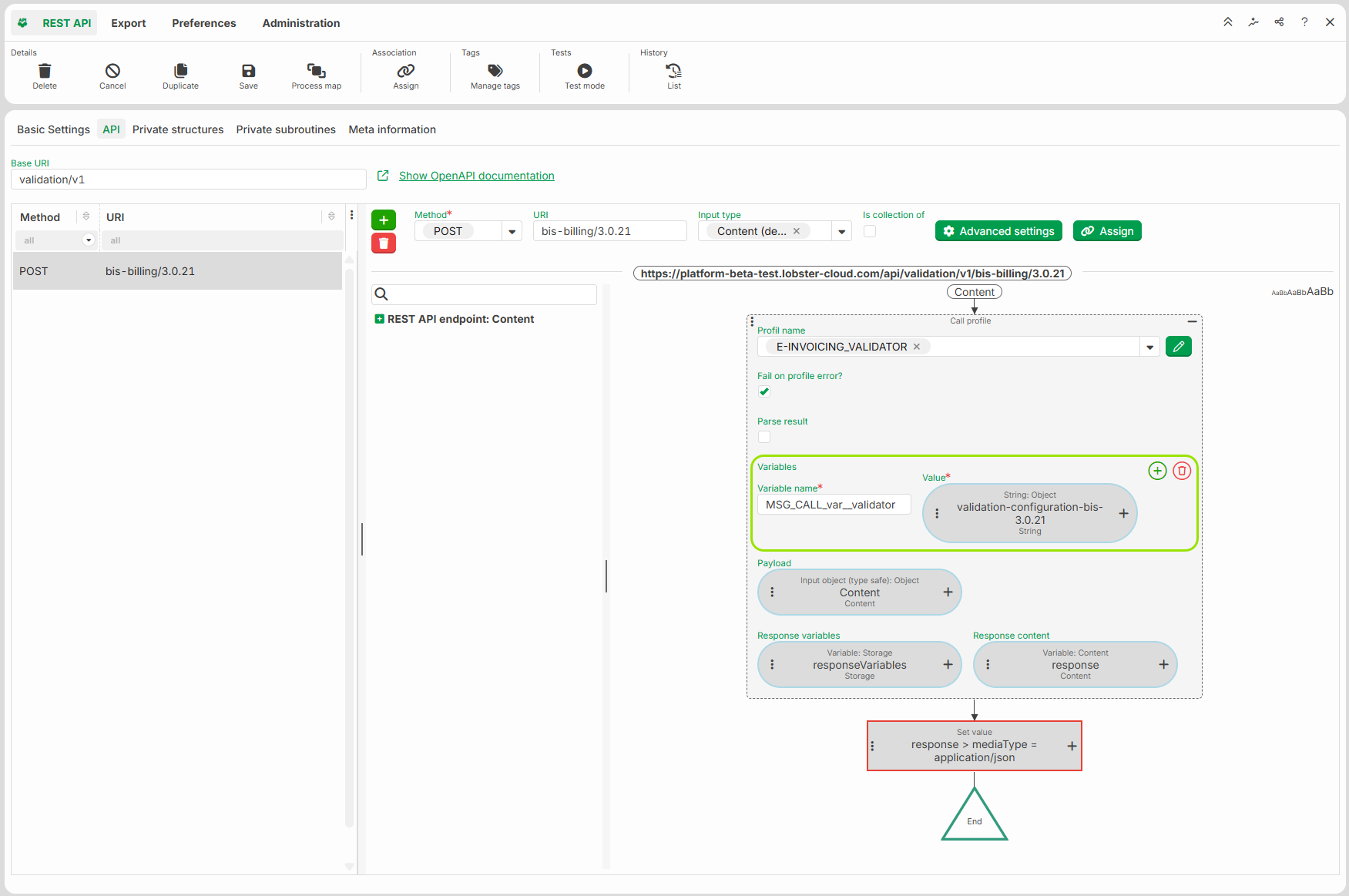
The subprofile performs the actual check for the respective standard. Before the call, the profile sets the variable MSG_CALL_var__validator to the name of the validation directory. This name is stored as a fixed value in the target structure field config_validator_directory_name. In this way, the profile specifies which standard and which version are to be checked.
The profile evaluates the Response from the subprofile call. If the document is valid, it sets the variable var__is_document_valid to true; otherwise, it sets it to false. The profile uses this variable to control two response paths:
Response 1 is executed only when
var__is_document_valid = trueand forwards valid documents.Response 2 is executed only when
var__is_document_valid = falseand does not forward invalid documents.
In this profile, both responses serve solely as a backup for the target data.
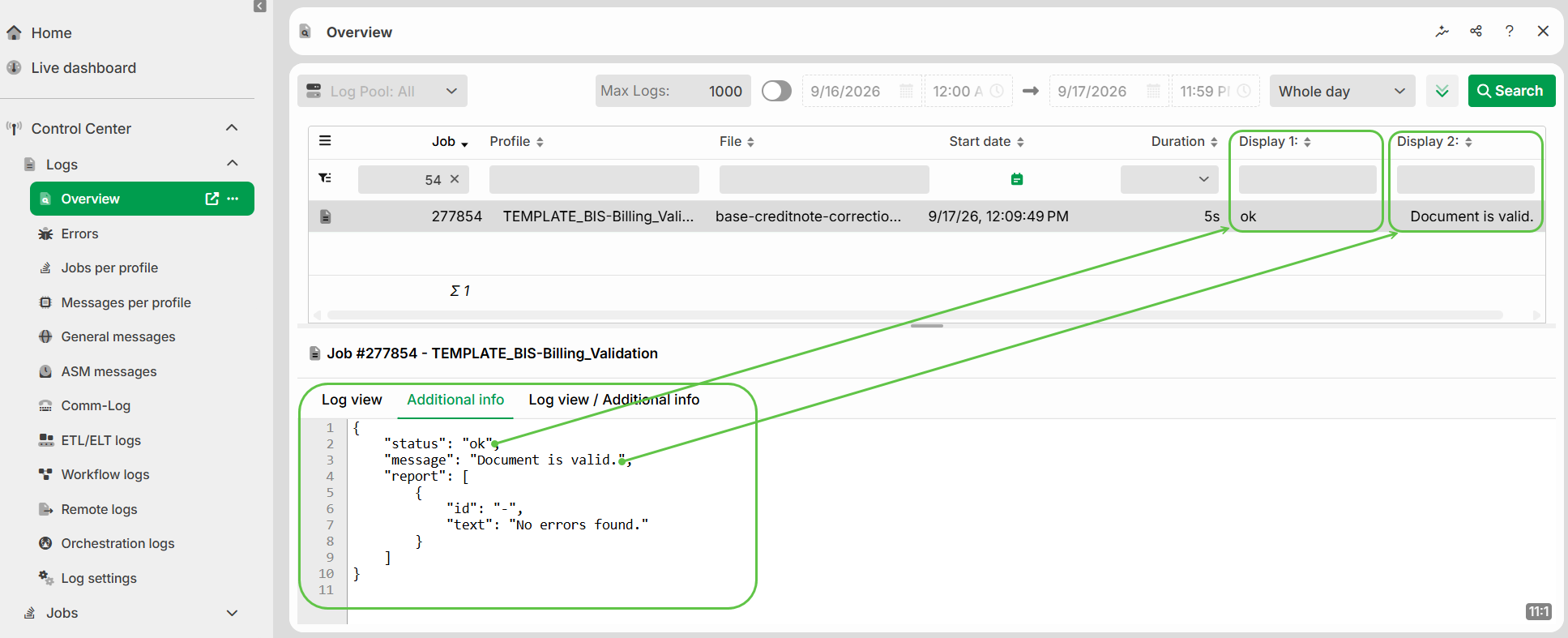
You can view the validation results in the log overview:
Display 1 shows the validation status.
Display 2 shows the validation message.
The Additional info tab displays the complete validation results, including the individual messages.
About the HTTP endpoint
Each standard provides a REST endpoint:
http(s)://<your-server-name>/api/validation/v1/<standard>/<version>
Send the invoice to the endpoint via a POST request. You will receive the validation result as JSON. The endpoints for ZUGFeRD and XRechnung process both PDF/A-3 and XML.
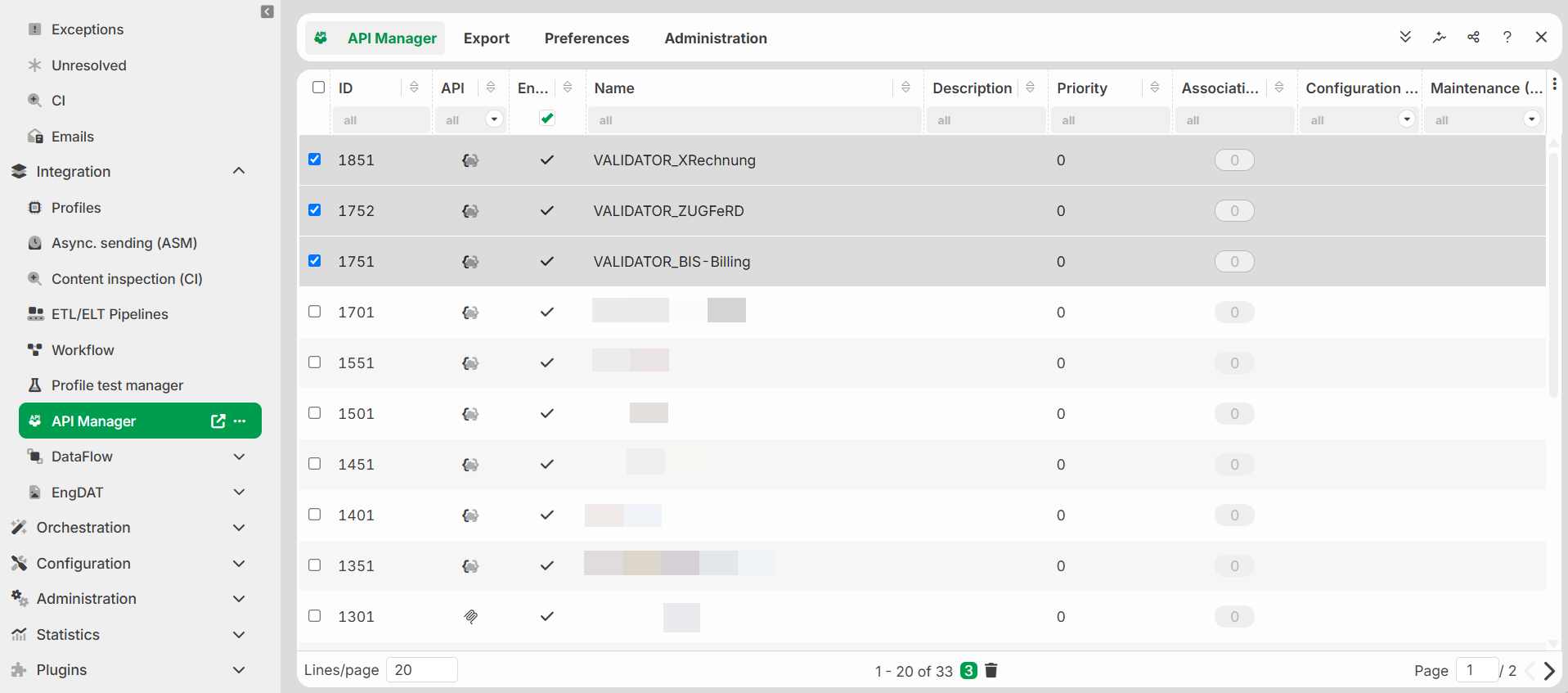
At the end point, the action block calls the profile E-INVOICING_VALIDATOR and passes the name of the validation directory via the variable MSG_CALL_var__validator.
NOTE:
Anonymous access is enabled for all endpoints upon delivery.
Standard-specific values
BIS Billing | ZUGFeRD | XRechnung | |
|---|---|---|---|
Version | 3.0.21 | 2.5.2 | 3.0.2 |
Directory in File manager | ./E-invoicing_validation/validation-configuration-up-to-3.0.21 | ./E-invoicing_validation/validation-configuration-zugferd-2.5.2 | ./E-invoicing_validation/xrechnung-3.0.2-validator-configuration-2026-01-31 |
HTTP endpoint (URI) |
|
|
|
Input format | XML | PDF/A-3 or XML | PDF/A-3 or XML |
Validation profile |
|
|
|
Source of the validation files |
Update
To update a standard to a new version, follow these steps:
Upload the new validation directory to File manager under
./E-invoicing_validation/.For ZUGFeRD only: Customize the
scenarios.xmlfile – it maps the documents to the appropriate validation files. Enter the paths to the new validation files and upload the file to the directory.In the API Manager, add a new endpoint or update the version in the URI of an existing endpoint.
Adjust the directory name in the variable
MSG_CALL_var__validator— in the API Manager (VALIDATOR_<Default>) and in the validation profile (TEMPLATE_<Default>_Validation).