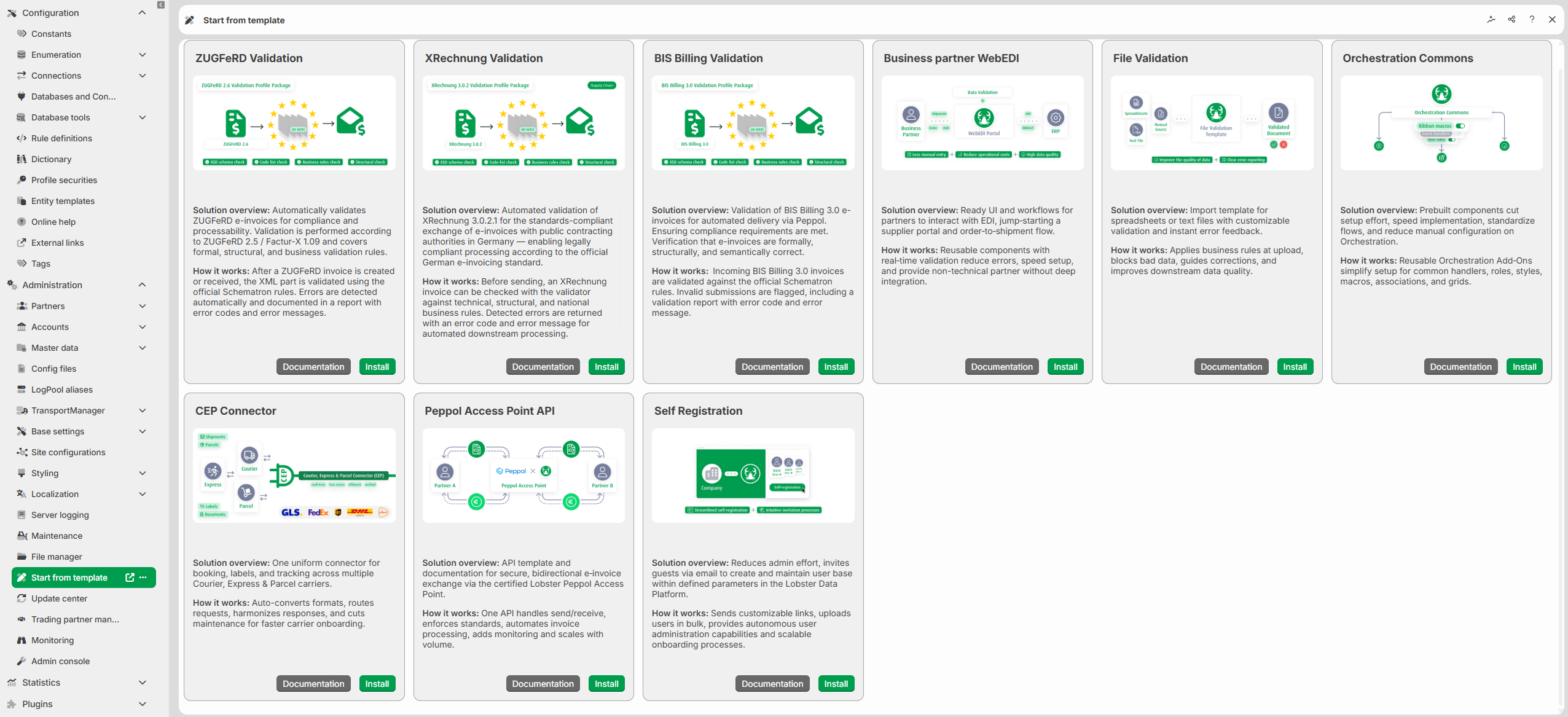
Templates are ready-to-use extensions for the Lobster Data Platform. They include proven configurations, standardized workflows, and prebuilt interfaces, allowing you to complete recurring Integration tasks more efficiently and quickly.
Available templates
You can access the page by clicking the Start from template button on the Home screen or by going to Administration -> Start from template.
Each template addresses a specific use case. The following overview describes its purpose and how it works. For details on configuration and installation, see the documentation for the respective template.
E-invoicing validator: BIS Billing • XRechnung • ZUGFeRD • Validation
Business Partner WebEDI: EDI • Supplier portal
File Validation: Data quality • Validation
Orchestration Commons: Core template • Handler • Styles
Lobster CEP Connector: Logistics • Package deliveries
Lobster Peppol Access Point: E-Invoice • Peppol • Interface
Self-registration: Onboarding • Bulk import
How templates work
Templates follow a standardized process that ranges from installation to production deployment.
01 – Selection | 02 – Installation | 03 – Configuration |
|---|---|---|
Select template | Install with one click | Customize parameters |
Identify the right template for your use case. Each template clearly specifies which integration task it addresses and which systems or standards it covers. | Templates are installed directly from the platform. Simply click Install in the desired template’s tile, and they’ll be automatically applied to your environment with preconfigured component handlers and styles. No manual setup is required. | After installation, customize the predefined parameters to suit your specific system environment. Configuration is performed via the Lobster Data Platform user interface, with no programming required. |