When a new version of a standard format is released, Lobster provides a new template for it. If you want to switch your Profile to this new template version, most of the fields from your existing Mapping can still be used. To do this, enable the Refresh structure option when loading the new template. The system then attempts to retain existing function chains and formats.
This article shows how to proceed and how to identify which additional adjustments are necessary.
TIP
Copy the profile before loading the new template, and perform the comparison in this copy first. This allows you to check for any gaps in the new version of the template without modifying the production profile.
Steps
In the target structure, open the dialog for loading templates via Menu > Load templates and select the new template version.
Enable the Refresh structure option.
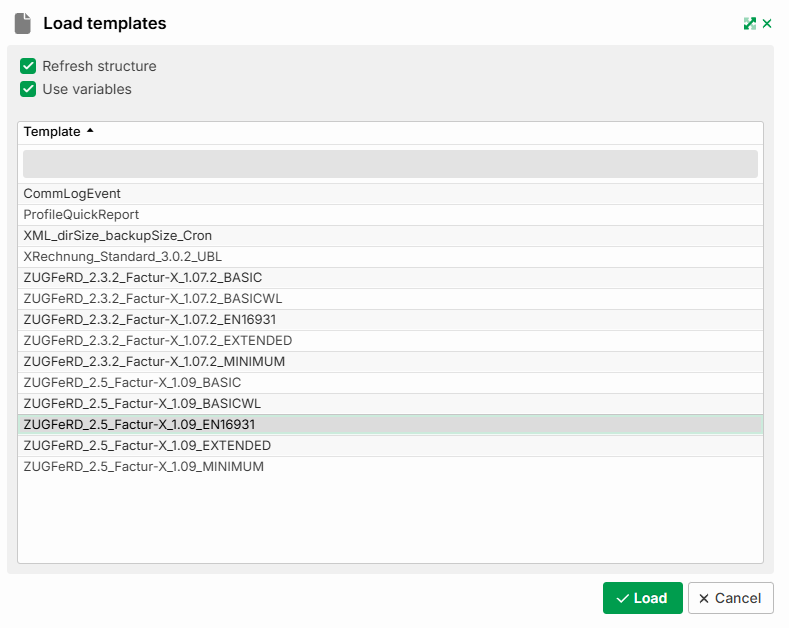
Click Load. A Result dialog opens, listing the fields that are no longer present in the new template version. The previous mapping instruction for these fields has been automatically removed.
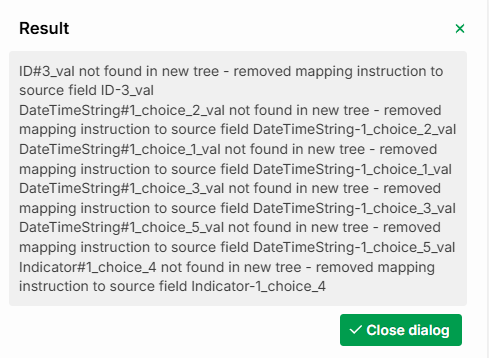
Then use Menu > Open all nodes to fully expand both the source and target structures.
Check both structures for fields that are not yet linked. These fields are new in the current template version and therefore had no previous mapping. You must map these fields manually.
Example (ZUGFeRD 2.3.2 BASICWL to ZUGFeRD 2.5 EN16931):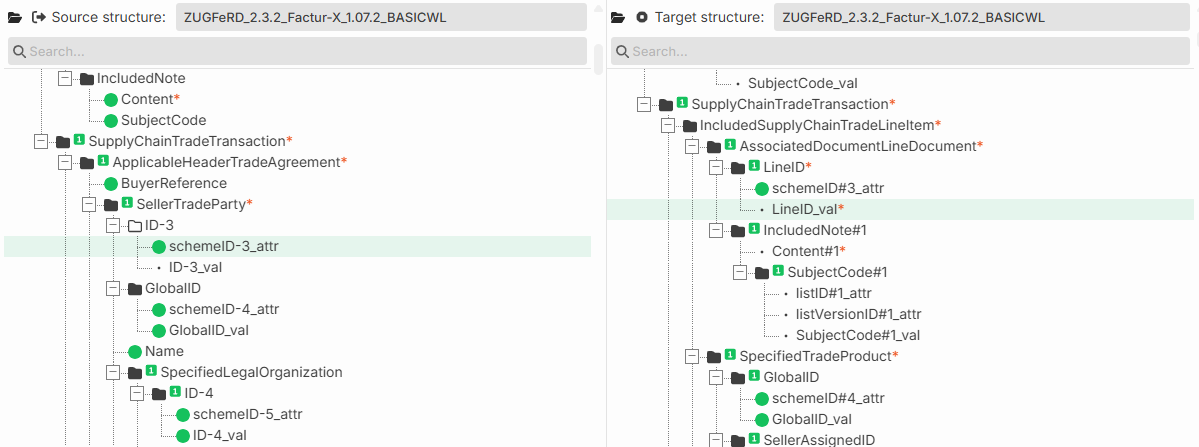
Result
With this approach, all existing mappings are preserved. You only need to close the gaps created by new fields in the current template version. A manual re-mapping of the entire structure is not necessary.